
Bookings
Turn a Conversation Into a Booking
“Can you book me in for Friday?”
Connect your booking system through Zapier MCP so your bot can check availability and create a booking during the conversation.
An AI voice agent that answers questions and gets things done. Let customers talk, type or do both.
We now spend less time doing manual work & we are happy to have 1 "colleague" ready 24/7 😀
In practice
Connect your business apps through Zapier MCP, or enable web access for up-to-date answers.
Bookings
“Can you book me in for Friday?”
Connect your booking system through Zapier MCP so your bot can check availability and create a booking during the conversation.
Customer support
“Where is my order?”
Connect your order system through Zapier MCP so your bot can look up an order and share its latest status aloud.
Live information
“Will it rain during our stay?”
With web access enabled, your bot can check the forecast and help a hotel guest plan their day with current information.
Two ways to talk
Start with voice, or offer voice alongside text.
Simple to set up
Use the same business knowledge and chatbot instructions you have set up for text chat.
Step 1
Train your bot on your website, documents and the other sources you choose.
Step 2
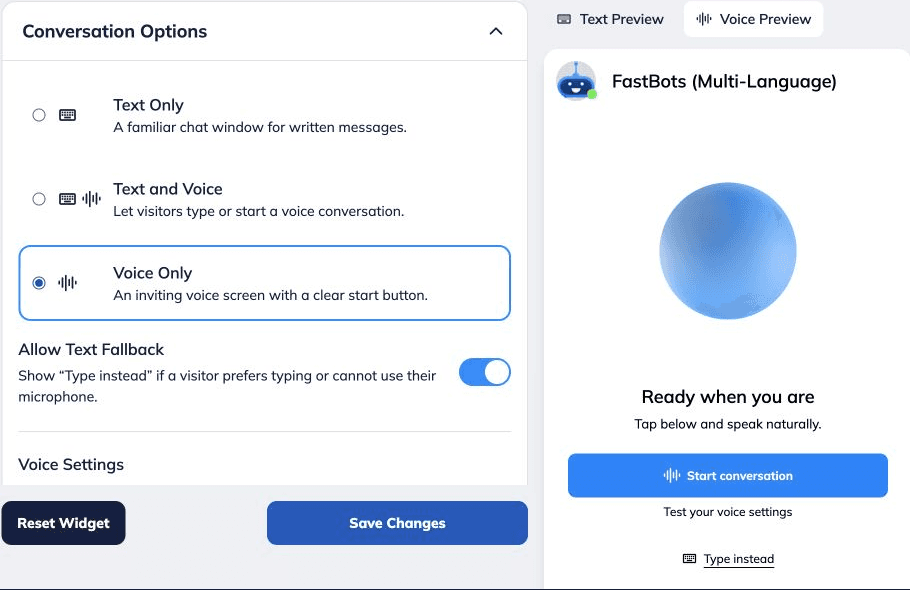
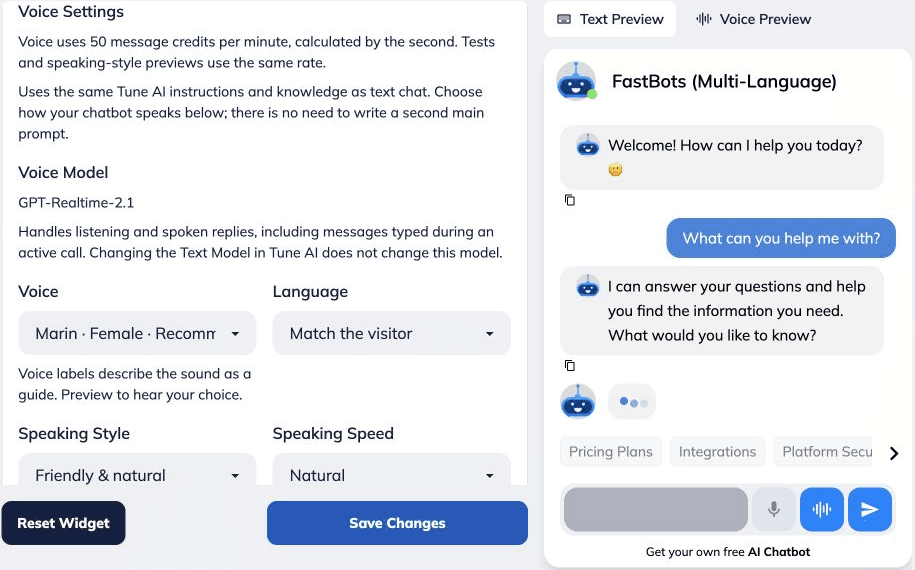
Pick a voice, language, speaking style and the conversation mode that suits your site.
Step 3
Hear the experience in FastBots and put the chat widget on your website when you are ready.
Make It Yours
Give your chatbot a voice that fits your business, with the knowledge and personality your customers recognise.
The Way It Speaks
Choose a voice, language and speaking style that suit your business.
Match the widget colours to your brand, so the conversation feels part of your site.
Use the website pages, documents and instructions already in your bot. No second knowledge base to manage.
Voice is available in your website widget. Other messaging channels continue to use text.
Got Questions?
Answers to the questions people ask before adding voice to their website.
Yes. Choose Text and Voice to let visitors type or start a spoken conversation in the same website chatbot. You can also choose Voice Only and allow a switch to text when someone prefers typing.
Yes. Voice chatbots have agentic capabilities, meaning they can take actions during a conversation. Connect other platforms through our API or use Zapier MCP to let your bot do things such as check order status, create a booking or update a record. The actions available depend on the integrations and permissions you configure.
No. They can talk to the chatbot in the widget on your website. Their browser will ask for microphone access when they start a voice conversation.
No. You can enable voice for an existing FastBots chatbot. It uses the business content and main instructions you have already added. For a new bot, complete the setup wizard, then choose Voice Only or Text and Voice in Chat Widget.
Yes. Choose a voice, speaking style and speed. You can select a language or set the bot to match the visitor's language.
Yes. On a voice-enabled plan, use Voice Preview in Chat Widget to start a test conversation and hear how your bot responds. Voice tests and speaking-style previews use message credits.
Voice uses 50 message credits per minute, calculated by the second. For example, a two-minute conversation uses 100 credits. Voice tests and speaking-style previews use credits at the same rate.
No. Voice conversations take place in the chatbot on your website. Phone calls and your other messaging channels are separate from this voice feature.
It uses the website pages, documents and other knowledge sources you add to your FastBots chatbot, together with the settings you choose.
Voice conversations are available during the 14-day free trial and on Business, Premium and Reseller plans, and use message credits. The Essential plan does not include voice conversations.
Create, train and try your voice chatbot during the 14-day free trial. Voice conversations are also available on Business, Premium and Reseller plans.